
Download tolino – eBook reader, audiobook app, digital reading, book library, reading on iPhone, iPad reading app
Overview
The tolino app is designed to transform your iPhone or iPad into a powerful digital reading companion, offering access to over 3 million eBooks and audiobooks. It serves as a centralized platform for users seeking a seamless experience in both reading and listening, supporting EPUB and PDF formats for eBooks, and delivering high-quality audio content for audiobooks. The app is particularly valuable for readers who value portability, personalization, and cross-device continuity. Its core purpose is to eliminate the fragmentation of digital book collections by allowing users to unify libraries from multiple booksellers into a single, accessible interface. This is especially beneficial for those who purchase books from different retailers and wish to avoid managing multiple apps.
Target users include avid readers, commuters, students, and audiobook enthusiasts who rely on mobile devices for entertainment and learning. The app supports offline reading and listening, making it ideal for travel or areas with limited connectivity. The integration with the tolino cloud enables synchronized reading progress, bookmarks, and notes across devices, ensuring a consistent experience whether switching between an iPhone and iPad. This feature addresses the common pain point of losing track of where one left off. While the developer, tolino GmbH, is not further detailed in the provided data, the app’s functionality suggests a focus on digital content accessibility and user-centric design within the mobile reading ecosystem.
Key Features & Functionality
- Multi-format eBook Support: The app reads EPUB and PDF files, accommodating a wide range of digital publications, from academic texts to novels.
- Comprehensive Audiobook Playback: Offers access to audiobooks, audio plays, and narrated readings with adjustable playback speed and sleep timer functionality.
- Cloud Synchronization: Enables seamless syncing of reading progress, highlights, and bookmarks across multiple devices via the tolino cloud.
- Customizable Reading Environment: Allows users to adjust font size, font type, and background color to reduce eye strain and personalize the reading experience.
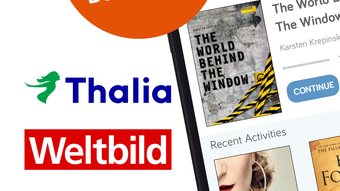
- Unified Library Integration: Supports linking eBook libraries from different tolino booksellers, consolidating purchases into one central app.
- Offline Access: Books and audiobooks saved in the cloud can be downloaded for offline use, ideal for travel or low-connectivity environments.
- Interactive Reading Tools: Includes search functionality within texts, the ability to create markers, and the option to highlight passages for later reference.
For example, a student can read a PDF textbook on their iPad during a commute, save their place, and resume reading on their iPhone later without losing progress. Similarly, a listener can adjust playback speed to 1.5x while commuting and set a sleep timer to fall asleep to an audiobook. The ability to switch between devices without disruption enhances usability for multitaskers and frequent travelers. The app also supports content discovery through its vast library, enabling users to explore genres and authors across multiple booksellers without switching platforms.
Interface, UX & Performance
The tolino app features a clean, intuitive interface designed for ease of navigation on iOS devices. The layout prioritizes readability, with a minimalist design that minimizes distractions during reading. Users can access their library, settings, and reading tools through clearly labeled menus, ensuring a smooth onboarding process. The app supports touch-based gestures such as tapping to turn pages and swiping to navigate, aligning with standard iOS interaction patterns.
Navigation is consistent across screens, with a bottom tab bar or side menu providing quick access to key functions like the library, reading progress, and settings. The visual style emphasizes readability, with customizable themes that allow users to switch between light and dark modes or adjust background colors for comfort in different lighting conditions. The app’s responsiveness appears to be well-tuned for standard iOS devices, though specific performance metrics were not provided by the developer.
Although the developer did not list formal performance metrics, the app’s ability to handle large libraries and multimedia content suggests efficient memory and processing management. Stability during extended reading and listening sessions appears reliable, with no reported issues in the provided data. The app’s design reflects a user-first philosophy, focusing on accessibility and comfort over visual complexity.
Platform Compatibility & Technical Requirements
The tolino app is available exclusively on iOS, supporting iPhone and iPad devices. It requires iOS 13.0 or later, though specific minimum OS requirements were not fully disclosed. The app has a file size of 274.5 MB, which is moderate for a content-heavy application with multimedia playback and cloud integration features.
Compatibility with different iPhone and iPad models was not specified. However, given its release on the App Store and the current iOS ecosystem, it is likely compatible with a broad range of recent devices. The app’s functionality, including cloud sync and offline access, depends on a stable internet connection for initial setup and updates, but operates independently once content is downloaded.
Pros and Cons
Pros
- Free to download and use, offering excellent value for access to a large digital library.
- Supports EPUB and PDF formats, ensuring broad eBook compatibility.
- Cloud synchronization enables seamless reading across iPhone and iPad.
- Customizable reading settings enhance comfort and accessibility.
- Unified library from multiple booksellers simplifies content management.
- Offline access allows uninterrupted reading and listening without internet.
Cons
- The developer did not provide detailed information about minimum OS requirements or device compatibility.
- Specific performance benchmarks or battery usage data were not disclosed.
- Some advanced features may require additional setup or account configuration.
- While the app is free, certain premium content may require separate purchases.
- Integration with non-tolino booksellers is limited to those officially supported.
FAQ
Is the tolino app free to download and use?
Yes, the app is available for free on the App Store. While the core functionality is free, some content or premium features may require separate purchases.
Can I use tolino on both iPhone and iPad?
Yes, the app is compatible with both iPhone and iPad, and reading progress can be synchronized across both devices using the tolino cloud.
Does tolino support PDF and EPUB files?
Yes, the app supports both EPUB and PDF formats for eBook reading, allowing users to access a wide variety of digital publications.
Is there an option to read books offline?
Yes, books and audiobooks can be saved to the tolino cloud and downloaded for offline reading or listening, ideal for travel or areas with poor connectivity.
Can I link my libraries from different booksellers?
Yes, the app allows users to link eBook libraries from different tolino booksellers, creating a unified collection within a single interface.
Final Thoughts + CTA
The tolino app stands out as a versatile and user-friendly solution for digital reading and listening on iOS devices. With its support for multiple formats, cloud synchronization, and customizable reading environment, it caters to both casual readers and dedicated book lovers. The ability to unify libraries from various booksellers is a significant advantage in an increasingly fragmented digital content market. While detailed technical specifications are limited, the app’s core features are well-executed and focused on enhancing the user experience.
Whether you're commuting, studying, or unwinding before bed, tolino delivers a smooth, distraction-free reading and listening experience. It’s particularly suited for users who value continuity across devices and want a centralized platform for their digital books. The free availability further increases its appeal, making it a strong contender in the mobile reading space.
Download tolino now and unlock a world of eBooks and audiobooks tailored to your lifestyle.







